How to Look Your Best on Zoom or Teams: Professional Tips for Positioning, Backgrounds, Lighting & Angles

how to look good on zoom

How to Look Your Best on Zoom or Teams: Professional Tips for Positioning, Backgrounds, Lighting & Angles

In a world where virtual communication is now part of everyday business, appearing confident and professional on screen is essential. Whether you’re hosting a meeting on Zoom, presenting on Microsoft Teams, or recording remote video content, how you position yourself on camera has a huge impact on how your message is received.

At Bubble Production, we specialise in helping individuals and businesses look great on video—here are our expert tips for getting the best from every online meeting.
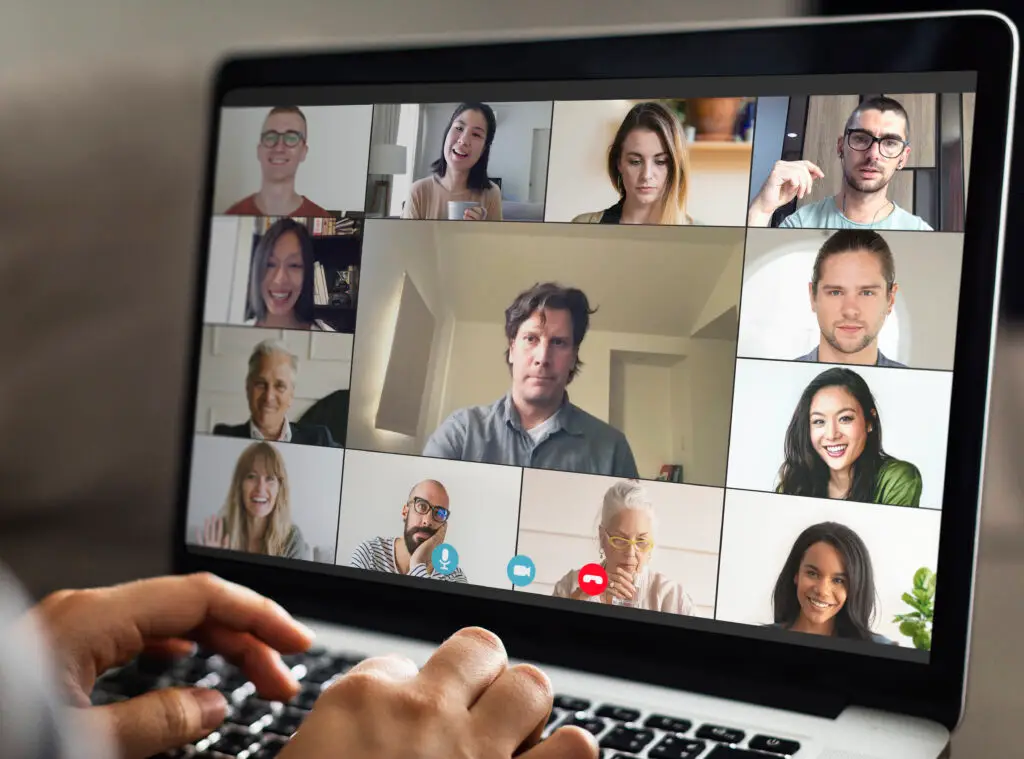
Colleagues having a video conference during the coronavirus pandemic

1. Position Yourself Correctly for Zoom and Teams Meetings

✔️ Do:

  • Keep your webcam at eye level for a natural, engaging angle that builds trust.

  • Centre yourself in the frame, with your eyes on the upper third—this is the same technique used in professional filming.

  • Maintain a comfortable distance from the camera. A head-and-shoulders shot is ideal for clarity and connection.

✖️ Don’t:

  • Use a low laptop angle that creates unflattering upward shots.

  • Sit too close or too far away.

  • Slouch or drift out of frame.

Good positioning immediately improves your presence in any virtual meeting.


2. Choose the Right Background for Video Calls

Your background says more about you than you might realise.

✔️ Do:

  • Use a clean, uncluttered background that looks professional.

  • Add simple elements—plants, artwork, or subtle branding—to create warmth.

  • Sit a little away from the wall to add depth to the shot.

✖️ Don’t:

  • Sit in front of open doors, messy spaces, or bright windows.

  • Use the blur effect to blur your backgrounds – it just looks terrible
  • Rely solely on virtual backgrounds, which can flicker and distract during Zoom or Teams calls.

A well-thought-out background enhances your credibility and reduces distraction.


3. Improve Your Lighting for Better Video Quality

Lighting is one of the biggest influences on how professional you appear on camera.

✔️ Do:

  • Face a natural light source such as a window for soft, flattering light.

  • Use a ring light or desk lamp to evenly illuminate your face.

  • Add a small backlight to separate yourself from the background.

✖️ Don’t:

  • Sit with a bright light behind you—this creates heavy shadows.

  • Use harsh overhead lighting that emphasises lines or textures.

  • Forget to adjust lighting as the daylight changes.

Great lighting enhances video clarity and ensures you look polished on Zoom or Teams.


4. Use Better Camera Angles for More Professional Video Calls

✔️ Do:

  • Keep your camera straight or slightly angled downward for the most flattering shot.

  • Stabilise your device—use a tripod or laptop stand.

  • Preview your frame before the meeting starts to ensure consistency.

✖️ Don’t:

  • Use awkward angles that show ceilings or cut off your head.

  • Constantly move your camera; keep it steady throughout.

Simple angle optimisation can dramatically improve how professional you appear.


5. Enhance Your Audio Quality for Online Meetings

People will forgive slightly imperfect video—but poor audio can ruin a call.

✔️ Do:

  • Use headphones, earbuds, or an external microphone.

  • Mute notifications and background noise.

  • Choose a quiet, private space when possible.

✖️ Don’t:

  • Rely on your laptop microphone in echoey rooms.

  • Type loudly while unmuted.

  • Let background noise interrupt your presentation.

Clear audio helps maintain attention and ensures your message is heard.


6. Bring Energy and Engagement to Your Virtual Meetings

✔️ Do:

  • Maintain eye contact by looking into the camera occasionally.

  • Smile—warmth translates incredibly well on video.

  • Use expressive gestures within the frame.

✖️ Don’t:

  • Stare at your own video feed too much.

  • Appear bored or disengaged.

  • Sit motionless—natural movement makes you relatable.


Final Thoughts

You don’t need a full studio setup to look polished online. By improving your positioning, background, lighting, angles, and audio, you’ll instantly elevate your presence during Zoom meetings, Teams calls, and virtual presentations.

If you want help creating professional online content or producing virtual events, Bubble Production can support you with expert filming, editing, and remote recording solutions.

Why Video Wins — And Why Engagement Matters Even More

New Balance launch Furon and Visaro football boots

Video has become the default promotional tool for brands. We’ve all seen the statistics proving that video outperforms text and static images, but the real takeaway is simple: audiences connect more deeply with moving, dynamic content.

But today, success isn’t just about having video online — it’s about how you use it and how effectively you interact with your viewers. Traditional broadcast still has its place (BBC News at Six still reaches around 3 million viewers), yet those numbers pale in comparison to the daily reach of YouTube creators attracting similar figures within niche communities. Why? Younger audiences know exactly what they want to watch — and they want it on demand, wherever they are — with the ability to react, comment, and be part of the moment.

At Bubble Production, we see this first-hand. We regularly live stream motor racing, triathlons, concerts and events across the UK, and the real power doesn’t just lie in the viewer count — it’s in the conversation. During a race weekend, we’ll stream to 40–50 Facebook channels simultaneously, generating thousands of comments, reactions and live discussions. That’s the difference: people aren’t just watching; they’re participating.

Great content today isn’t measured purely by production values or storytelling. Its impact is measured by what happens around it — the headlines, the chatter, the social buzz. Think of how BBC One’s ‘The Bodyguard’ dominated conversations online and in the press; people weren’t just tuning in, they were talking about it everywhere.

And brands can tap into the same effect. The example above shows it perfectly: create an event, collaborate with influencers who bring their audiences with them, introduce a spark of drama, and suddenly viewers forget they’re watching branded content at all. Better yet, the interaction explodes — hundreds of thousands of views and streams of comments rolling in. That’s a truly engaged audience.

So can this be replicated? Absolutely. It simply requires a shift in mindset. Stop relying on the same old formats because “that’s how it’s always been done.” Go live. Invite participation. Build a space where your audience feels part of the experience. Engagement is a two-way street — if you stay passive, so will your viewers.

As a Facebook Live Provider, We Know What Drives Engagement

facebookLOGO

As an experienced Facebook Live provider, we understand the power of real-time broadcasting and the impact it can have on audience engagement.

According to Facebook founder Mark Zuckerberg, “Live content is watched three times longer and receives ten times more comments than regular Facebook videos.” That level of interaction is why brands are turning to live video in record numbers.

We’ve seen it first-hand. Our live broadcast for New Balance attracted more than 85,000 viewers, while our coverage of AX Arenacross at the Goodwood Festival of Speed dramatically expanded the local audience. And the benefits don’t end when the broadcast finishes — once viewers are engaged with your channel, they stay longer, convert more easily and are more likely to return.

How Your Brand Can Benefit From Facebook Live

We offer affordable broadcast crews and professional equipment to stream your event directly to:

  • Facebook

  • Twitter

  • Periscope

  • Or all platforms simultaneously

And you don’t even need an on-site internet connection. We can stream from virtually anywhere using:

  • Bonded 4G systems

  • KA-band satellite uplinks

Wherever your audience is, we can help you reach them — reliably and in real time.

Start Growing Your Global Audience

If you want to expand your reach, increase engagement and connect with viewers worldwide, get in touch. We’ll help you use live streaming to build a stronger, more active audience.


YouTube Live Streaming Updates – Low Latency Explained

youtube LOGO

YouTube Live Streaming: Latest Updates and What They Mean for Your Events

YouTube has released a new round of updates to its Live Streaming platform, aimed at improving performance and ease of use. The biggest and most exciting change is a major reduction in latency — and this has real benefits for live events.

What Lower Latency Means

Traditionally, YouTube Live delivered streams via global content delivery networks, causing a delay of around 45 seconds between the event happening and the viewer seeing it. For most online audiences this wasn’t a problem, but for sporting events or interactive broadcasts, that delay could be noticeable.

With the latest update, latency can now be reduced to as little as 2–3 seconds.

Why This Matters for Your Live Streams

Lower latency brings a huge benefit for clients who rely on YouTube’s live chat. Near-real-time streaming now makes Q&A sessions faster, smoother and much more natural — ideal for:

  • Conferences

  • Webinars

  • Sports

  • Interactive broadcasts

Your audience can now respond almost instantly as your event unfolds.

What’s the Catch?

There is one trade-off. When using ultra-low latency, you lose the live DVR (rewind) function. Late viewers won’t be able to skip back to the start of the stream — although the event is still fully recorded for upload and playback after the broadcast.

What’s Next?

Open-platform streaming continues to evolve quickly. YouTube has stepped up — now we wait to see how Facebook responds with its next update.

If you’d like these updates explained in plain English, or want help choosing the best platform settings for your event, give us a call — we’re always happy to translate the geek speak.